In attempts to increase traffic to this blog, I have tried 2 new strategies that where shared to me.
One was "Ping-o-matic". This is a service that will update different search engines that your blog has been updated.
Another strategy that I tried was using Classroom 2.0 to spread my blog through commenting on relevant discussions.
This project was somewhat helpful to my professional development. It has caused me to read and become more interested in education blogs. I have found many resources and articles that where interesting to me and I have gone back to visit them again in my own free time. But I this this project would be much more helpful to me if I was in a long term position where I could post my findings of how technology has effected my classroom.
Sunday, April 24, 2011

Thursday, April 21, 2011
Printer Restrictions?
Today in the 4th, 5th, and 6th grade classroom, the students where doing a research project. I noticed something that they where doing way too much of:
Printing
Not to mention that most of the pages where not needed. They where either blank or didn't have the information that was needed.
What I would suggest is to have a short mini lesson on how to get the information they want without wasting too much paper.
The lesson would include how to copy and paste text from the site to a word document. Also what is important to copy and paste such as the site you got it from, pictures that will be helpful, paragraphs that contain your information and perhaps some surrounding paragraphs as well.
This would be a great mini lesson for earth day for the important of not being wasteful.

Printing
Not to mention that most of the pages where not needed. They where either blank or didn't have the information that was needed.
What I would suggest is to have a short mini lesson on how to get the information they want without wasting too much paper.
The lesson would include how to copy and paste text from the site to a word document. Also what is important to copy and paste such as the site you got it from, pictures that will be helpful, paragraphs that contain your information and perhaps some surrounding paragraphs as well.
This would be a great mini lesson for earth day for the important of not being wasteful.

Monday, April 18, 2011
Seek out $$$
For anyone looking for a way to fund raise money or obtain grants for their school, this could be a great resource.
Listed are sites that vary in how they give grants and fund raise. Some depends on votes, while others rely on families and teachers shopping at Target.
Other helpful resources such as how to write a grant can also be seen at this web page.
Listed are sites that vary in how they give grants and fund raise. Some depends on votes, while others rely on families and teachers shopping at Target.
Other helpful resources such as how to write a grant can also be seen at this web page.
Friday, April 8, 2011
Another Example of Twitter in the Classroom
This is a great study of how Twitter has enhanced the learning experience in the college setting. How can this benefit high school or younger students? I think the constant updates and tutoring can help any student. Watch this video which was taken from this article.
Saturday, April 2, 2011
What's Up with Me & Wordies
School is out for my students for spring break, which gives me plenty of time to jump from blog to blog!
This week I noticed I have no visitors to my page :( so I'm chosen to start commenting on the blogs I read.
Normally, I am an anonymous reader: reading and then passing on to the next post. But I thought if I gave more input on the post and signing it with my blog address, I could get more hits.
We'll have to see!
In other news, I read about something called Wordies on a peer's blog, and its cute!

Wordies are "word clouds" are a selection of individual words that are used to convey meaning or intent. See the above example of my blog as a Wordie.
I can see this as a great tool to introduce a unit of study. It can help students see the big picture and the important terms of the course. Its visual, spacial, and interesting to look at.
This week I noticed I have no visitors to my page :( so I'm chosen to start commenting on the blogs I read.
Normally, I am an anonymous reader: reading and then passing on to the next post. But I thought if I gave more input on the post and signing it with my blog address, I could get more hits.
We'll have to see!
In other news, I read about something called Wordies on a peer's blog, and its cute!

Wordies are "word clouds" are a selection of individual words that are used to convey meaning or intent. See the above example of my blog as a Wordie.
I can see this as a great tool to introduce a unit of study. It can help students see the big picture and the important terms of the course. Its visual, spacial, and interesting to look at.
Friday, March 25, 2011
Digital Picture Project
What a great idea!
This lesson would be great for my students! A lot of the students in my school are first generation Americans or even emigrants (like me) and probably have very different perspectives on life.
So by keeping a photo journal could be very interesting.
While I don't know if the pictures my students would take would be as harsh as the ones mentioned in this article, I do think I could learn new things from my students with the pictures. Also, some of my students are very shy, and this could be just the sort of creative outlet that will get their gears going and give them that voice that has been missing.
Free tec could also be used such as Picaso by Google so the students can have access to the pictures and edit them at any time needed.
Look at this article for perspective.
This lesson would be great for my students! A lot of the students in my school are first generation Americans or even emigrants (like me) and probably have very different perspectives on life.
So by keeping a photo journal could be very interesting.
While I don't know if the pictures my students would take would be as harsh as the ones mentioned in this article, I do think I could learn new things from my students with the pictures. Also, some of my students are very shy, and this could be just the sort of creative outlet that will get their gears going and give them that voice that has been missing.
Free tec could also be used such as Picaso by Google so the students can have access to the pictures and edit them at any time needed.
Look at this article for perspective.
Tuesday, March 22, 2011
Idea for a Mini Lesson
Today I was thrilled when I walked into my Upper Grades classroom (4th,5th,and 6th students) and saw we have plentiful laptops. The students where working on presentations for their research projects. I was so excited to see PowerPoints, Glogsters, and Prezi being used to present their information I have seen them collecting for a few weeks now.
Unfortunately, it was obvious to me that no one has instructed the students on how to correctly. There where long paragraphs of information that might have been carefully researched, but I can guarantee that they will be read word-for-word by the student and bore the class.
Here is a video that is short and sweet and could have helped the students I was working with:
Unfortunately, it was obvious to me that no one has instructed the students on how to correctly. There where long paragraphs of information that might have been carefully researched, but I can guarantee that they will be read word-for-word by the student and bore the class.
Here is a video that is short and sweet and could have helped the students I was working with:
Thursday, March 17, 2011
Interesting Use of Technology for Preschool
I was in a pre-school classroom yesterday afternoon and was interested in watching these students use technology.
First of all, I was unhappy with where the computer was placed in the classroom. It was against a wall that was in the middle of the classroom facing out. So, when one student was on the computer, the whole class could turn in the direction of the computer and watch the screen. I saw this as a huge distraction and would change the position of the computer if I was the instructor of the class.
 On a brighter note, I really liked the lesson on the computer that day I went. It was a PowerPoint that would first display a word, have the student listen to the proper pronunciation (there is a button to say it in Spanish too because it is a dual language school) and the next slide would be a picture of the word. I liked this lesson because it is independently done and the student can hear the word said in two languages as many times as they like by just clicking a button. While they hear it, they also see the word in text. The students enjoyed looking at the pictures too because the pictures where very large and also very good quality.
First of all, I was unhappy with where the computer was placed in the classroom. It was against a wall that was in the middle of the classroom facing out. So, when one student was on the computer, the whole class could turn in the direction of the computer and watch the screen. I saw this as a huge distraction and would change the position of the computer if I was the instructor of the class.
Friday, March 4, 2011
Standardized Test Rap!
A rap made by a school in my home town area in Baltimore, MD. Very cute and hopefully educational in terms of technology and preparation for the kids!
Thursday, March 3, 2011
Time Warp!
Just taking some time to revisit a lesson from undergrad that involved getting the students using technology, in this case TurningPoint.
TurningPoint is an "audience response system" that I used in turn with PowerPoint. My school had "clickers" that where like tiny remotes. I see now that TurningPoint can be used with cell phones and iPod touches, which is exciting!
 Turning point is great because it gives students interaction with their lesson and great for teachers to get immediate feedback and can be used as formal or informal evaluations.
Take a look at this sample lesson:
TurningPoint is an "audience response system" that I used in turn with PowerPoint. My school had "clickers" that where like tiny remotes. I see now that TurningPoint can be used with cell phones and iPod touches, which is exciting!

Take a look at this sample lesson:
Showcase Lesson Reflection
Technology: 2/20/09
Lindsey Huber
My incorporation of TurningPoint in my lesson in order to review vocabulary words gave a different approach to studying. Not only did I enjoy making the presentation, I was able to informally gage how the class as a whole understood their words. My showcase lesson went very well I believe, but there would be some things I would change in order to enhance it.
For instance, on the day before when I was setting up the classroom computer to do this lesson, the technology coordinator and I only tested a few clickers to see if TurningPoint worked. Now I know that I should have tested every clicker that day because half of them did not work when I went to do the lesson. I was very embarrassed with my supervisor there, but luckily I had alternate work prepared that would review their vocabulary words. This really saved me because I was not stranded with nothing for the students to do that day. The clickers ended up to be out of batteries and my supervisor was very understanding of my situation, but I was still embarrassed. So now I know that I should check every piece of technology that day in order to make sure it all works correctly. Also, I should always have a back up plan in case things do not go right.
Another thing I have learned with my lesson is to not take too much time on the TurningPoint activity in order to prevent boredom. With my other class, I took the time to read every sentence and choice of answers. This approach took a lot of time and by the end I felt as if I was loosing the students. With the lesson where my supervisor was there, my mentor suggested that I should not take the time to read every sentence and choice to words. This seemed to work better because we moved faster and also the students where more engaged. This is most likely because the students would have to read the selection for themselves and not have to hear the droning of my voice. So the showcase lesson used TurningPoint for just enough time.
I think that next time, I would use a short matching worksheet as an opening activity to get the students think about the words and their definitions. This is because the activity that I had for the students was a little bit more difficult and took too much instructional time. Though I do like the reenforcement activity, I think it was a little over kill on their minds.
I think that the use of technology in my lesson gave the students an alternate way to review their vocabulary in a way for me and my mentor to see their progress. We gave this lesson the day of their test and I was able to informally see if they understood the definitions correctly in a short amount of time. I liked doing this and I think I will do this again in the future and make appropriate changes.
Wednesday, March 2, 2011
My EDET 650 Blog Spot: Let's Kick It -- Downloading Video From YouTube
This was recently blogged by my classmate and find it very useful! It's about taking YouTube videos from online to your desktop and hopefully into the classroom to enhance lessons.
Hopefully everyone will click the link and take a look fore more information and an instructional clip on how to do this.
My EDET 650 Blog Spot: Let's Kick It -- Downloading Video From YouTube:
"This week I have been working on kicking videos from YouTube to my desktop. This allows me to sync them to the iPods for my students to use as review and reference. I first tired to “kick” using FireFox and was not successful. I then tried using the web browser, Safari and found that downloading these videos was very simple and painless. So remember to use Safari. I created this movie to help anyone “kick” with ease. Good luck. "
Hopefully everyone will click the link and take a look fore more information and an instructional clip on how to do this.
My EDET 650 Blog Spot: Let's Kick It -- Downloading Video From YouTube:
"This week I have been working on kicking videos from YouTube to my desktop. This allows me to sync them to the iPods for my students to use as review and reference. I first tired to “kick” using FireFox and was not successful. I then tried using the web browser, Safari and found that downloading these videos was very simple and painless. So remember to use Safari. I created this movie to help anyone “kick” with ease. Good luck. "
Friday, February 25, 2011
Online Safety Site!
I came a crossed this site, SafeKids.com, a technology safety advice site. I think its great because it talks about pre-teen to teen internet safety subjects that maybe difficult to talk about. This site is written for adults mostly, but teens can also read the articles for useful information.
This site is also linked to many other sites of the same genra and link many interesting articles.
Some articles and topics that popped out at me where:
When Schools can Discipline Off-Campus Behavior (cyber bullying)
Sexting Tips
Young kids better with technology than "life skills"
This site should be kept in mind for reference and also updates on current news concerning technology and young children.
This site is also linked to many other sites of the same genra and link many interesting articles.
Some articles and topics that popped out at me where:
When Schools can Discipline Off-Campus Behavior (cyber bullying)
Sexting Tips
Young kids better with technology than "life skills"
This site should be kept in mind for reference and also updates on current news concerning technology and young children.
Put a Firm Foot Down
Today I was in a classroom with students that ranged in ages from 1st to 3rd graders. Many of the student where done most of their work and continued to "Work of Choice", which meant for many students "play computer games".

The games where mildly educational, but absorbed the student that was playing it, as well as any passing student. To me, it looked like an unhealthy obsession, the students where totally tuning everything else around them. While they where practicing division facts, I was not sure it was a good practice of the skill considering many of the problems where too difficult for them.
Therefore, I believe that a firm foot should be put down in classrooms that gives the strict rules and guidelines. This would be like what games are appropriate to play and when. Also how to identify if the game is too hard and a new one should be chosen. Also a list of appropriate websites should be listed that students can go to during their free time.
Also, I hope that in my classroom alternate games are available to students. In the classrooms, at least in this school, there is not enough computers for each student to use. So boardgames that can be played between multiple students is a must. There are many math board games that students find fun are available and would be useful to play in times where "Work of Choice" time is available.
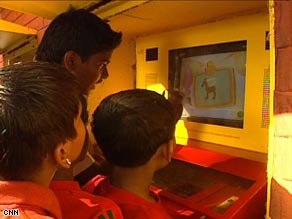
The games where mildly educational, but absorbed the student that was playing it, as well as any passing student. To me, it looked like an unhealthy obsession, the students where totally tuning everything else around them. While they where practicing division facts, I was not sure it was a good practice of the skill considering many of the problems where too difficult for them.
Therefore, I believe that a firm foot should be put down in classrooms that gives the strict rules and guidelines. This would be like what games are appropriate to play and when. Also how to identify if the game is too hard and a new one should be chosen. Also a list of appropriate websites should be listed that students can go to during their free time.
Also, I hope that in my classroom alternate games are available to students. In the classrooms, at least in this school, there is not enough computers for each student to use. So boardgames that can be played between multiple students is a must. There are many math board games that students find fun are available and would be useful to play in times where "Work of Choice" time is available.
Monday, February 21, 2011
Further Reading...
I mostly read about teaching philosophies and strategies online, but this blog has inspired me to pick up some books to gain a deeper insight.
I defiantly am intrigued by the books:


I defiantly am intrigued by the books:


Wednesday, February 16, 2011
Technology+Handicapness=Perfect Match!
After reading the Horizon Report-2011, I couldn't help bot to be impressed by the Gesture-Based Computing section. When I think about gesture-based computing, I cannot help my mind wandering to the Iron Man movies with Tony Stark's awe inspiring computers. With the flick of the wrist or a touch of a finger, he completely controls his interface.

In my mind, this seems so far off, it's is silly to even envy the character's super computing, but Horizon Report reminded me that we do have gestured computing now and use it every day. Muli-touch screens and other devices that respond to your touch or movement have been in our lives for some time now. Wii Sports that blew up the gaming world in 2006 was definitely a time to remember as families and friends gathered in the living room for hours to play this innovative game (at least mine did).

I think what I think is most exciting about this push for gesture- based computing is what doors it will open up for people with some sort of handicap. Recently, I stumbled upon a video that was very uplifting thanks this technology.
A man devoted to his art was almost fully paralyzed with Lou Gehrig's disease. He thought he could never draw again until the technology EyeWriter was presented to him. With this device, Tony is able to draw with his eyes and have it projected onto buildings and surfaces using a PS3 camera connected to glasses with free software. See the amazing video here.
I think what people sometimes forget is that innovative technology doesn't have to be expensive. Technology should be something everyone has access to and it is my hope as we move toward new technologies that schools will be open to new ways to accessing the newest products for the students.
Monday, February 7, 2011
Thursday, February 3, 2011
No Money
After some chats over lunch, I have found out that my school is just about broke.
The school I'm subbing in is a public charter school BUT receives much less money than other public schools. See, in North Carolina, they use Lottery money for public education. All public schools receive funding from the state lottery, BUT charter school.
My school have so little funds that they don't even have on staff janitors, nurses, or "specials" teachers such as gym or art.
The students are wonderfully behaved and over all happy. Which makes me sad that they don't receive as many "extras" as other public schools.
I guess we have to work with what we got.
The school I'm subbing in is a public charter school BUT receives much less money than other public schools. See, in North Carolina, they use Lottery money for public education. All public schools receive funding from the state lottery, BUT charter school.
My school have so little funds that they don't even have on staff janitors, nurses, or "specials" teachers such as gym or art.
The students are wonderfully behaved and over all happy. Which makes me sad that they don't receive as many "extras" as other public schools.
I guess we have to work with what we got.
Saturday, January 29, 2011
Inspired!
What I cannot seem to put into words!
Chris Anderson: How web video powers global innovation
Chris Anderson: How web video powers global innovation
What is this Blog for?
This is my first blog.
I read a ton of blogs a day and never did I think about making my own.
What would I write about? What do I want to help others do?
I think what I struggle most with in the classroom is how to incorporate technology into my lessons, especially when there is such a lack of it in my school. So this is my approach to technology in the classroom.
I read a ton of blogs a day and never did I think about making my own.
What would I write about? What do I want to help others do?
I think what I struggle most with in the classroom is how to incorporate technology into my lessons, especially when there is such a lack of it in my school. So this is my approach to technology in the classroom.
Subscribe to:
Comments (Atom)